


How to Handle Negative Google Reviews and Protect Your Business’s Online Reputation

Don't let a bad review define you. Transform criticism into your greatest asset. Learn exactly when to flag fakes, how to respond like a pro, and use feedback to strengthen your brand.

Getting a bad review can feel like a punch to the gut, right? It’s disheartening and can hurt your reputation, potentially scaring off new customers. Don’t worry, though… You don’t have to just sit back and take it. With the right approach to Google review management, you can turn criticism into opportunity, strengthen trust in your brand and even boost your rankings! Below, we walk you through every step: from flagging rule-breaking feedback to responding constructively, encouraging more positive reviews and maintaining a bullet-proof online reputation.
Google’s Rules: What You Need to Know
First, it’s important to understand that Google won’t let you remove a negative review just because you don’t like it. And it’s actually a good thing! It keeps online reviews honest and trustworthy. However, if a review breaks Google’s rules, you can ask to have it removed.
Here are some examples of reviews that can be flagged:
- Spam or fake content: If it’s clear that the review is fake or from a bot.
- Offensive language: Reviews that include swearing, hate speech or anything offensive.
- Conflict of interest: Reviews from current or former employees or anyone else who might have a personal stake.
Pro Tip: Google allows users to choose an alias for their Google Maps profiles. This means that reviews might be left under a name you don’t recognize, but this alone isn’t a valid reason to flag them. Flagging a review just because the name isn’t familiar doesn’t align with Google’s policies and such reports are unlikely to result in removal.
How to Report a Fake Google Review
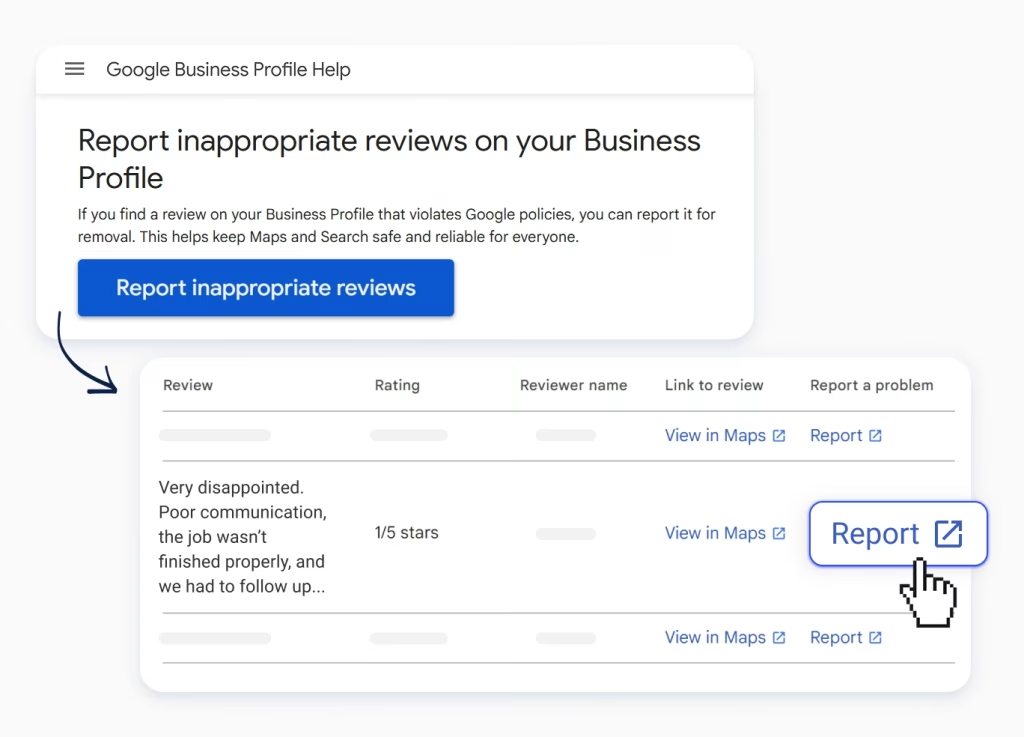
Google’s policies protect review integrity, but they also give you clear grounds to remove spam or abuse. If you see a review that breaks the rules, here’s how to report it:
- From Google Maps
- Open Google Maps and search for your business.
- Find the review that’s causing trouble.
- Click the three-dot menu and select “Report review”
- From Google Search
- Search for your business on Google.
- Scroll down to the review you want to report.
- Click the three-dot menu next to the review and select “Report review.”
- From your Google Business Profile account
- Login to Google as the business listing owner or manager.
- Go to this page.
- Select the “Request review removal” button.
- Confirm that the email address showing is the correct email address & click “confirm”.
- Either select the correct business from the list or search for it and then select it.
- Click through to the list of reviews and click on the “Report” link.
- Select the correct reason for disputing the review from the list provided.
- From a review management tool
- If you’re using a reviews management tool, log in to your account.
- Navigate to the review and use the tool’s options to flag it as inappropriate.
What Happens After You Report a Google Review?
Once you report a review, Google will review it to see if it truly violates their guidelines. If it does, they’ll remove it. Typically, you’ll receive an email notification confirming that the review has been flagged and whether it has been removed. However, it’s important to note that sometimes there’s a delay between receiving the confirmation and the actual removal of the review.
In some cases, you might not receive a follow-up notification, but the review may still have been removed. Because of this, it’s best practice to periodically check your reviews even after reporting them. This ensures you stay informed about the status of flagged reviews and can confirm their removal.
Should You Report Every Bad Review on Google?
Not every bad review should be flagged. It’s important to only report reviews that clearly break Google’s rules.
Honest negative feedback, while tough to swallow, can actually help your business grow. It highlights areas for improvement and shows potential customers how you handle criticism.
But even if some negative Google reviews can’t be removed, there are still ways to maintain and improve your online reputation.
Best Way to Respond to a Bad Google Review

Even when you can’t remove a review, your reply can reshape the narrative. Follow these steps for the best way to respond to a bad Google review:
- Acknowledge quickly: Aim to respond within 24–48 hours. Promptness shows you care.
- Stay professional: Thank the reviewer, apologize for their experience, and avoid defensiveness.
- Address the issue: Offer to take the conversation offline: “Please call us at…” or “Email me at…”
- Highlight solutions: Explain what you’ve done to prevent future issues. Concrete actions resonate.
- Invite return: “We’d appreciate a second chance to make it right.”
A tactful response not only placates the unhappy customer but also demonstrates to prospects that you’re responsive and accountable.
How to Respond to Negative Reviews
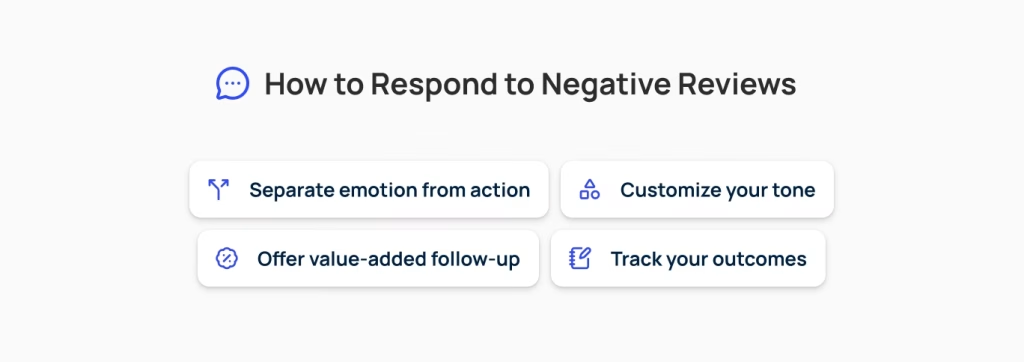
Not all criticisms are equal… In fact, honest negative Google reviews can be a blessing in disguise as they reveal growth areas. When crafting a broader response strategy, keep these guidelines in mind:
- Separate emotion from action: Don’t take it personally; focus on using feedback to improve.
- Customize your tone: Match the reviewer’s tone: more formal for professional services, warmer for home-services businesses.
- Offer value-added follow-up: If applicable, provide a discount, complimentary consultation, or expedited service.
- Track your outcomes: Record which responses lead to revised reviews or repeat business to refine your approach.
Responding to a Negative Review: An Example
Let’s say a local plumber received a one-star review complaining of a late arrival. Here’s a reply that would work:
“Hi Jane,
Ben from LocalPlumbing here. Thank you for sharing your concerns. We apologize that our technician arrived later than scheduled. It fell below the standard we promised… We’ve solidified our dispatch system to prevent this in the future.
I’d like to offer a 10% discount on your next service; please call me at (123) 456-7891 so I can personally arrange it.
We truly value your business and hope to fully meet your expectations next time.”
This response works because the business:
- Owns the mistake.
- Explains corrective steps.
- Provides a tangible goodwill gesture.
- Invites further contact.
Google Review Management: Best Practices
Even if you can’t remove every negative review, you can still manage your reputation effectively by:
- Encouraging positive reviews: Happy customers are your best advocates. Encourage them to leave positive reviews to balance out any negative ones.
- Responding to reviews: A polite and professional response can turn things around. Thank customers for their feedback and address complaints calmly.
- Regularly checking reviews: Make it a habit to check your reviews weekly. This keeps you in the loop and allows you to address issues quickly.
- Leveraging positive feedback: Showcase five-star reviews on your homepage and social channels.
Managing Your Online Reputation Holistically
Keep in mind that reviews are just one part of managing your online reputation. Here’s how to ensure the whole picture looks great:
- Keep your Google Business Profile up-to-date: Double-check that all your business information is accurate and up-to-date.
- Engage on social media: Keep your customers engaged by posting updates, sharing photos and interacting with them regularly.
- Create Quality Content on Your Website AND Google Business Profile (GBP): Google considers GBP Posts as a form of free advertising and social sharing, so make the most of this feature. Your posts can include calls to action, like “Call today” or “Use this promo code,” as well as updates about your business, recent work or industry news.
Pro tip: Each interaction—whether on Google, Facebook, or your own site—reinforces your brand’s reliability and expertise.

Turn Bad Reviews Into New Opportunities
A single negative review does not have to damage your reputation. With the right strategy, you can transform criticism into trust, rank higher in search results, and win more loyal customers. Our review management platform makes it simple to request feedback, respond quickly, and showcase the best side of your business. Start today with a free review audit and see how many opportunities you are missing.
Start My Free Review Audit
Joseph Amparan
Google Business Profile Specialist
Joseph is Olly Olly's Google Business Profile Specialist, based in West Texas. He brings insider expertise from his time at Google, where he worked in Business Profile Support and Maps Triage, giving him unique insights into platform algorithms and optimization strategies. His experience troubleshooting thousands of business profiles gives him an edge in maximizing local search visibility. When not optimizing listings, he enjoys woodworking and chasing his energetic daughter.
This might interest you:
Google Business Profile
6 min read
What LSA Leads Cost for Tree and Lawn Care Right Now
Most of the advice on Local Services Ads comes from people who haven't actually run them. We pulled 60 days of real spend data from...

Social Media & Ads
9 min read
Google Verified, Local Services Ads, and Maps Ads: What Actually Gets You Leads (And What Doesn’t)
Confused about Google Guaranteed, Free Profiles, LSAs, and Maps Ads? Here's what actually matters for getting contractor leads in 2026.
Google Business Profile
6 min read
Is Google LSA Actually Worth It for Your Trade? Run the Numbers.
Everyone's pitching Local Services Ads to trades right now, HVAC, plumbing, roofing, electrical, you name it. Before you hand Google a card, there's one calculation...